Upload Your REW Measurements.
Get Clear Answers.
AudioBro interprets your frequency response, identifies room modes and SBIR, and tells you what to fix first — in plain language.
Does This Sound Like Your Room?
Peaks & Dips Everywhere
You see the graph, but you don't know which anomalies actually degrade what you hear.
Forum Advice Conflicts
You share your graph online and get contradictory advice about traps, positioning, and EQ.
No Clear First Move
You have the data but no structured framework for deciding what to fix first.
Watch AudioBro Turn a REW File Into a Physical First Move
A deterministic consultation replay using genuine measurement data.
From Problem to Progress in Three Steps
Upload REW .mdat or measurement export
AudioBro analyses frequency response, decay, phase, and modes
Get a prioritised improvement plan ranked by audible impact
See What AudioBro Finds Inside a REW File
AudioBro reads the measurement, identifies the main acoustic issue, and separates what matters from what only looks scary on a graph.
Native Measurement Read
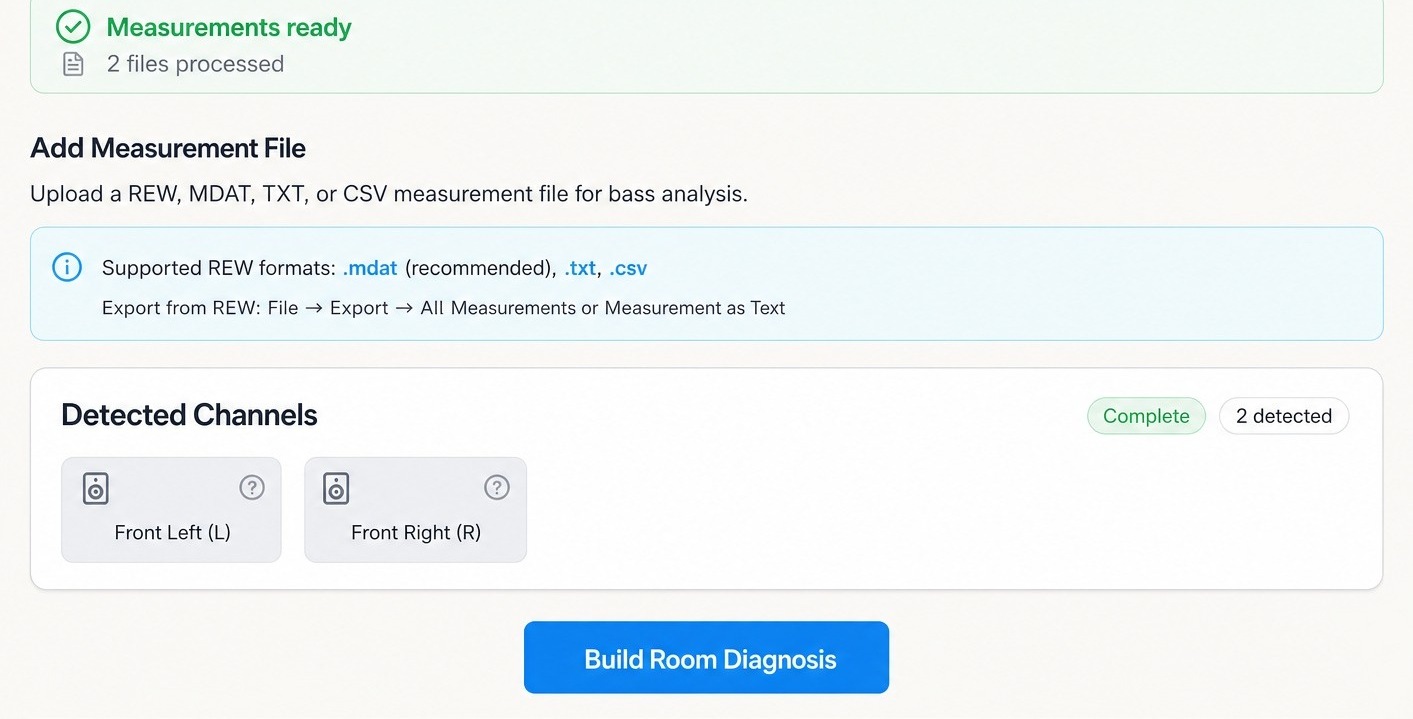
Upload an REW .mdat file or measurement export. AudioBro detects the channels and prepares the room diagnosis.
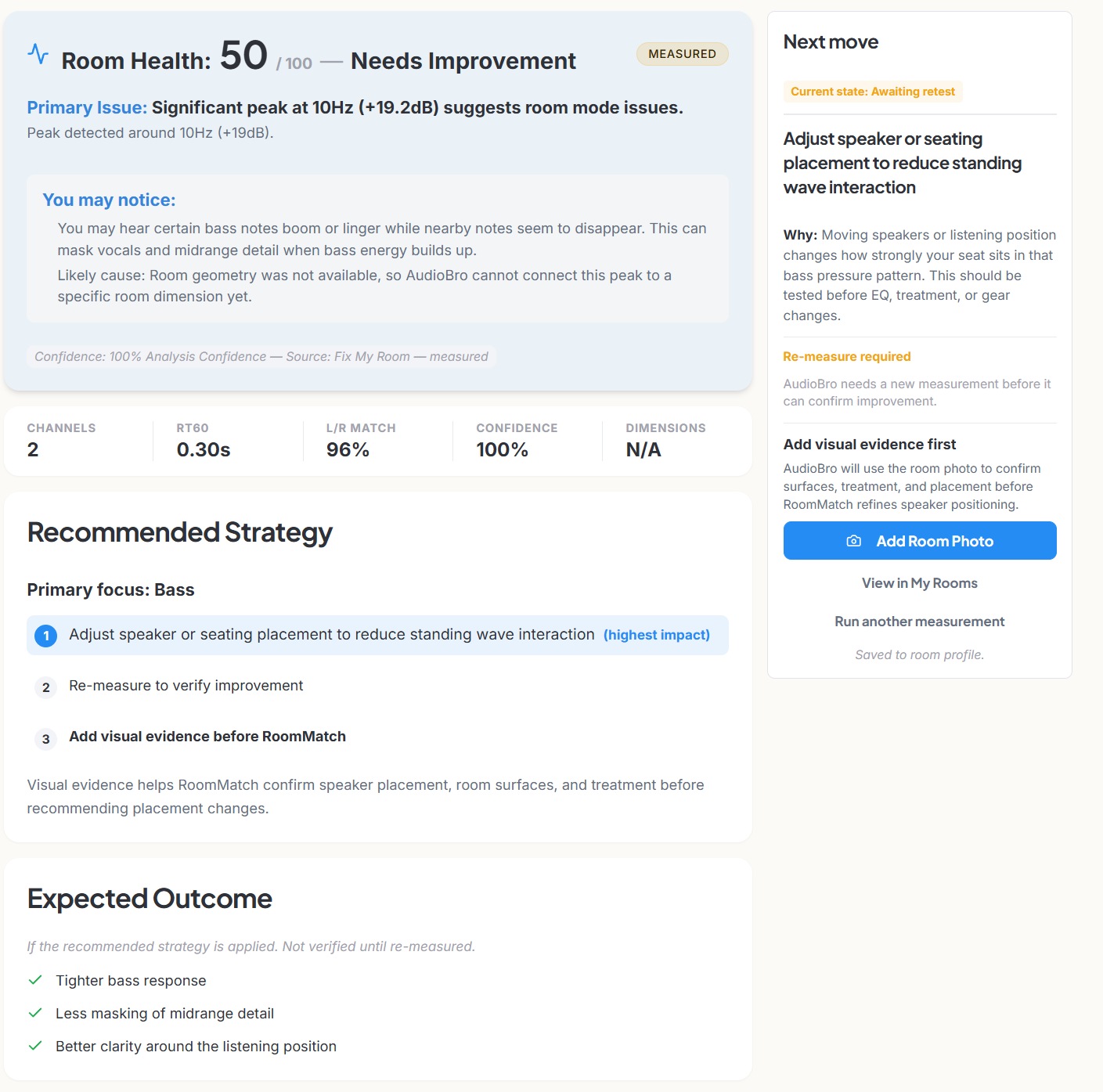
Measured Room Diagnosis
AudioBro identifies the primary issue, explains what you may hear, and ranks the next practical move.
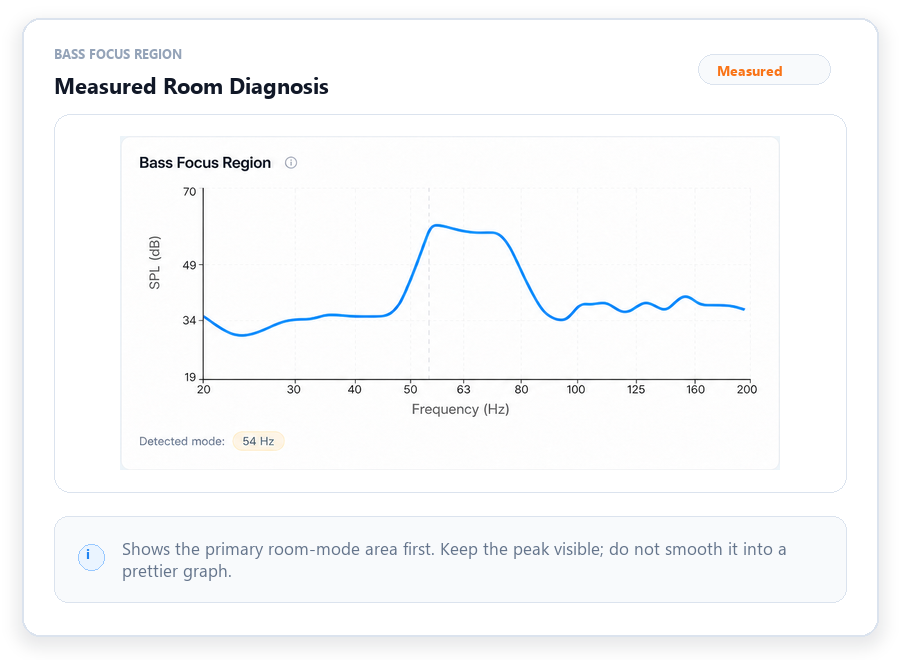
Evidence Views
AudioBro turns REW measurements into plain-English acoustic context.
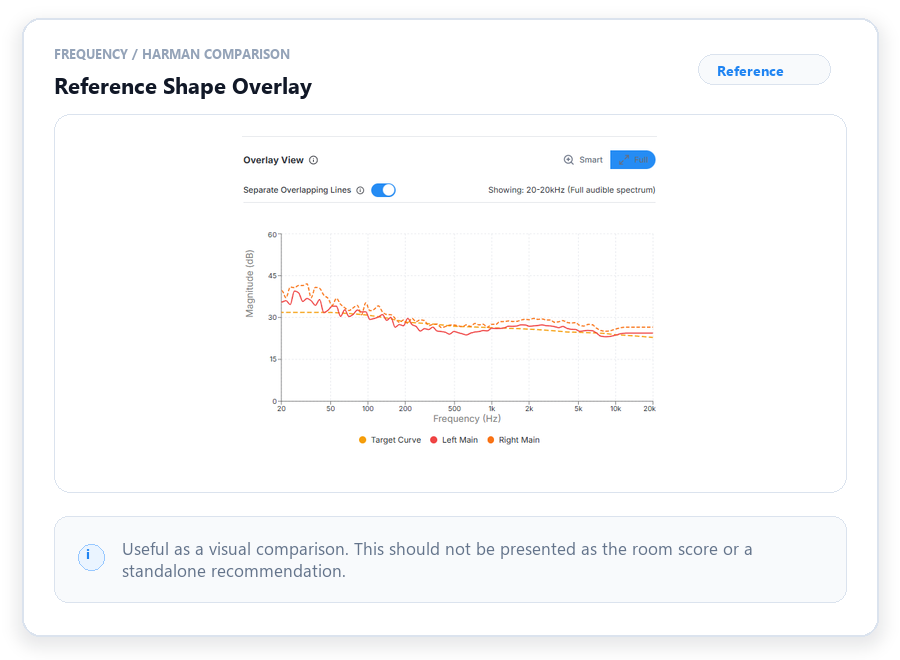
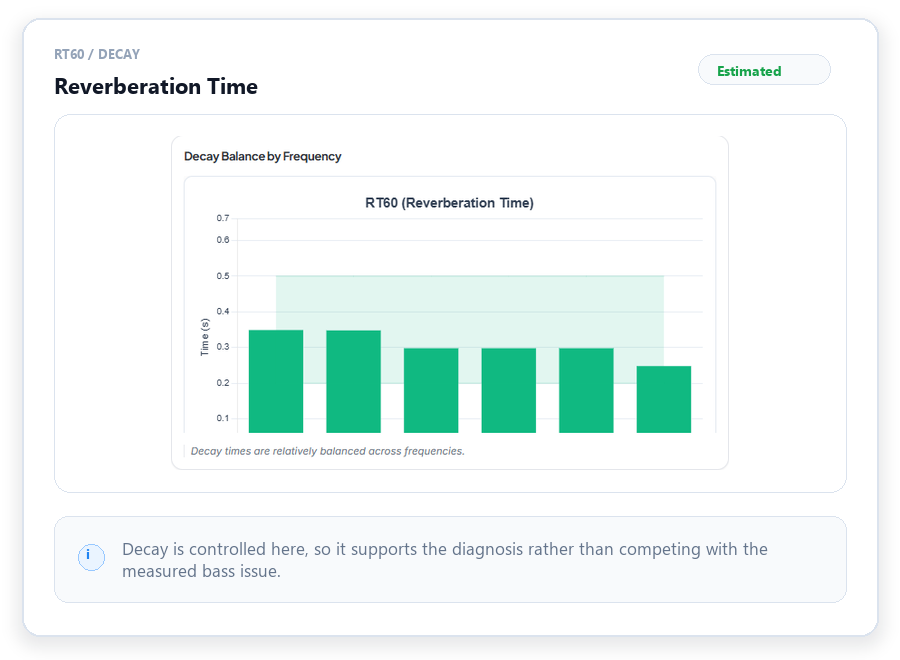
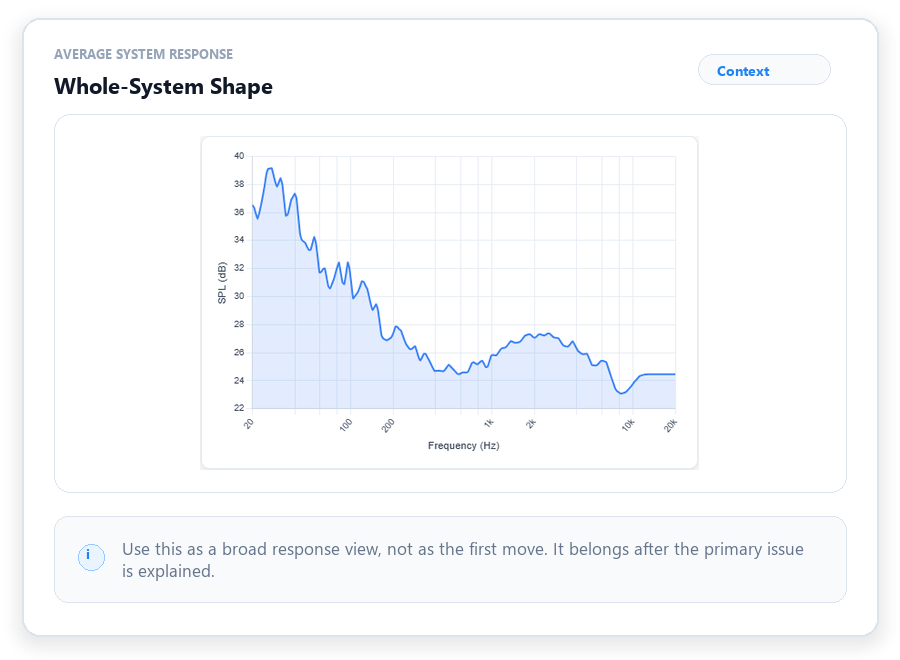
Measured First Move
Awaiting retestMeasured first move + verification plan
Want to see how AudioBro chooses the first move?
Unlock preview with ProFull first-move guidance is included with Pro.
Want a human to interpret the measurements?
We'll interpret the evidence with the actual room and system, not the graph in isolation.
What You'll Know After
Turn assumptions into an actionable acoustic roadmap.
Advanced Analysis For Measurements
Pro plan required for REW file parsing.
- Native .mdat file support
- Detailed mode and decay analysis
- Specific PEQ filter recommendations
Why AudioBro
Translates raw technical graphs into actionable acoustic insights
Prioritizes fixes based on audibility rather than just visual smoothness
AudioBro reads your .mdat files natively — no manual export steps
Frequently Asked Questions
What REW files are accepted?
AudioBro natively supports REW .mdat files. No manual text export steps are required.
Is a calibrated mic needed?
A calibrated measurement microphone like the UMIK-1 is strongly recommended for accurate REW data. AudioBro also includes microphone calibration support where supported mic profiles and calibration files can be managed for measurement workflows.
Is REW required?
To use this specific deep analysis feature, yes. However, we have other tools like Fix My Stereo that do not require measurements.
What is the difference between AudioBro and REW?
REW captures and displays acoustic data. AudioBro acts as a consultant, interpreting that data and telling you what it means for your room.
Can I use this without measurements?
This tool requires REW measurement files. If you do not use REW, AudioBro can still help: Tune My Sub includes guided in-browser sweeps for subwoofer measurement, and Fix My Stereo can guide room improvements from photos, dimensions, and follow-up checks.
What if I do not want to work through this myself?
Use Room Review. It is a one-off done-for-you option where you pay first, then send room evidence after checkout. AudioBro reviews the evidence and gives you a room-first recommendation within 72 hours. It is separate from the subscription: Lifetime is for using AudioBro yourself forever; Room Review is for getting your room reviewed once.
View Room Review options